

Host your podcast on your own site.
Zekast is the WordPress plugin that publishes your episodes on your site, then on Apple Podcasts, Spotify and Deezer. Hosting is included in the free plan.
Your episodes play on



 Zekast hosting
included in every plan
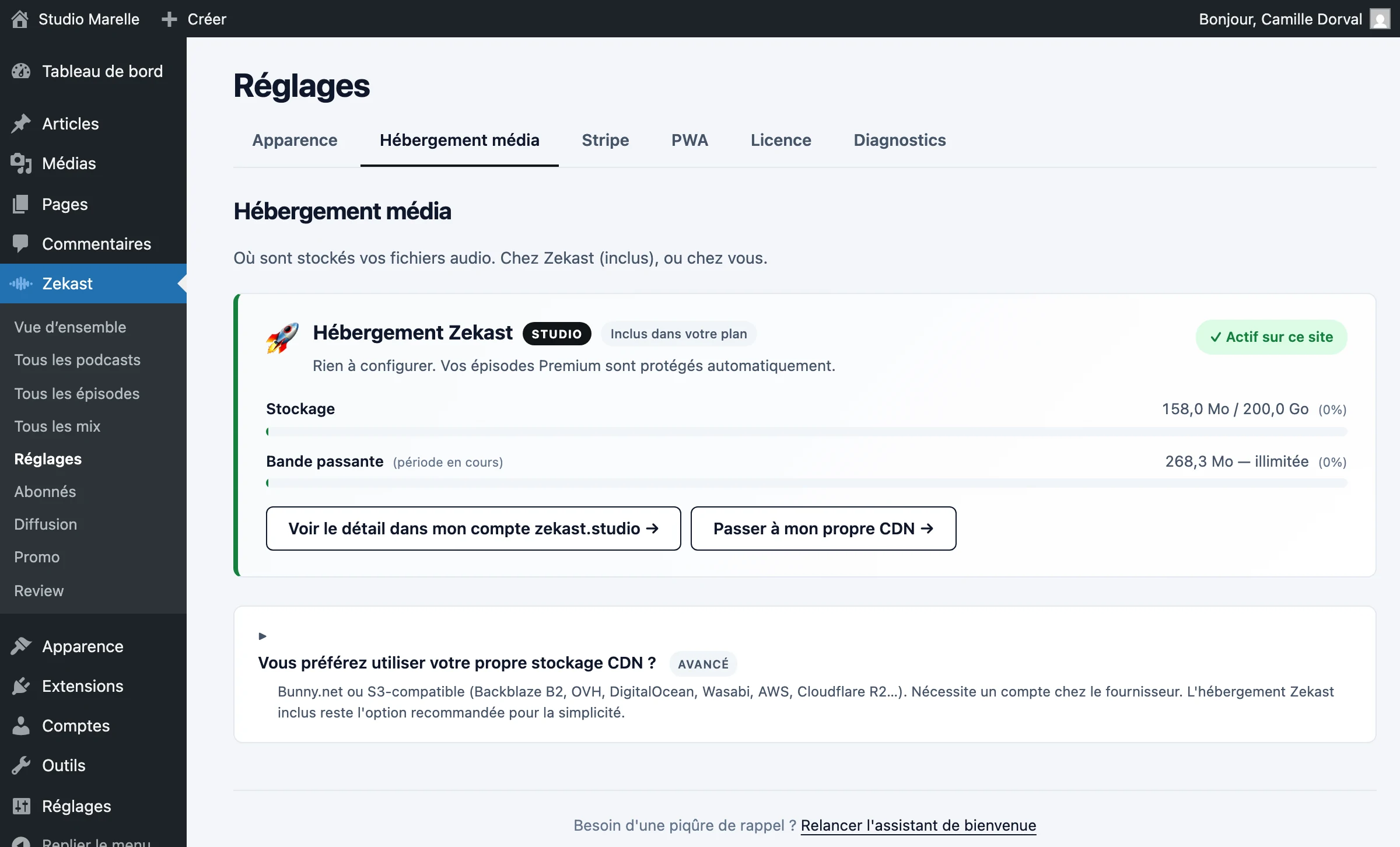
Hosting is included.
Zekast stores your audio files and creates the feed for Apple Podcasts, Spotify and Deezer. Paid subscriptions are settled on your Stripe account, with no commission.
Storage included
Zekast stores your audio files. A Bunny or S3 space you already have can be used too.
StorageMigration with no downtime
The catalog appears on your site first, then the audio files follow, episode by episode. Your listeners keep listening.
How to moveWherever people listen
Your feed is ready for Apple Podcasts, Spotify, Deezer and six other platforms.
All nine platformsSubscriber episodes
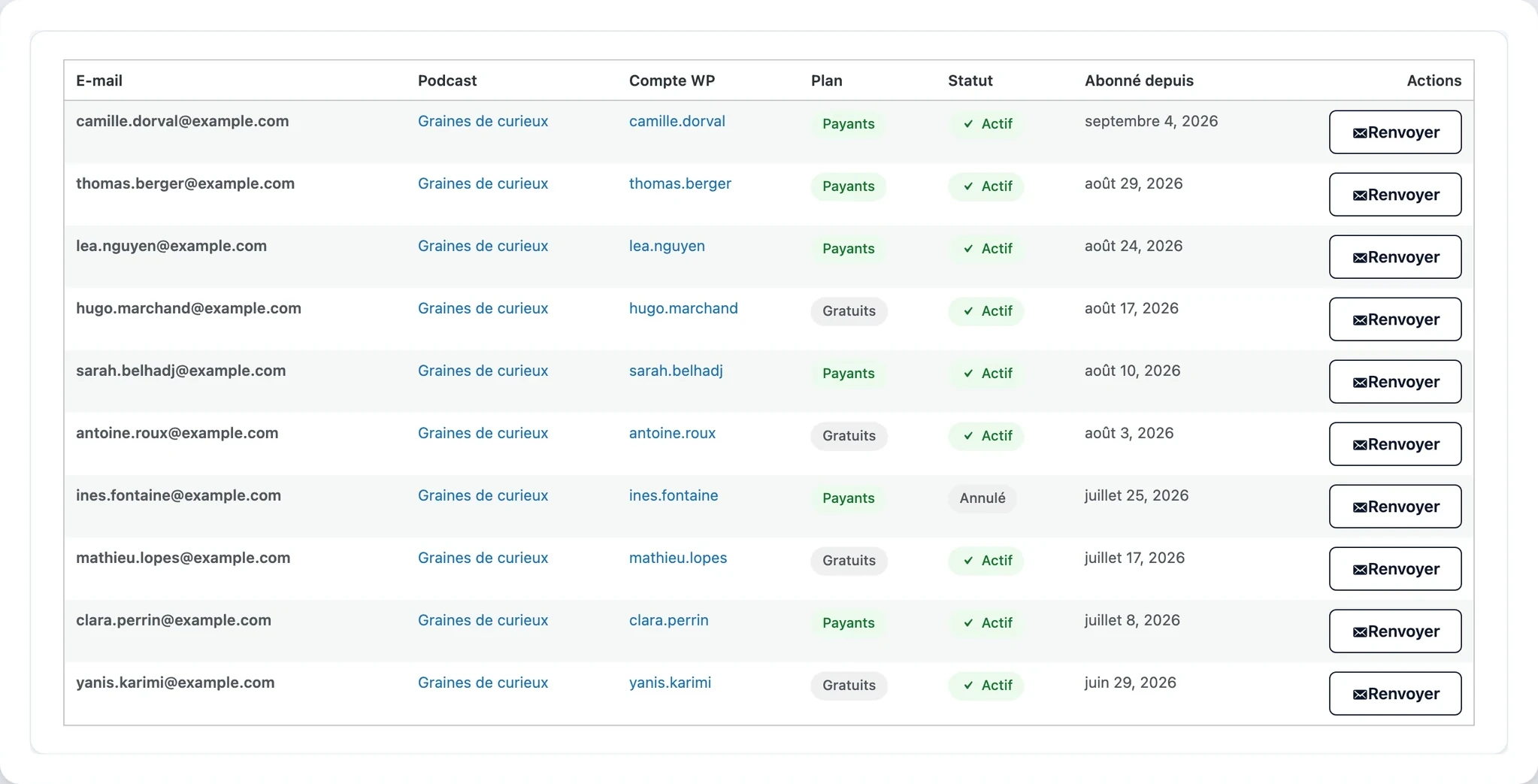
Sell the whole episode or let people hear an excerpt. Your subscribers get a private feed.
Selling subscriptionsListening stats
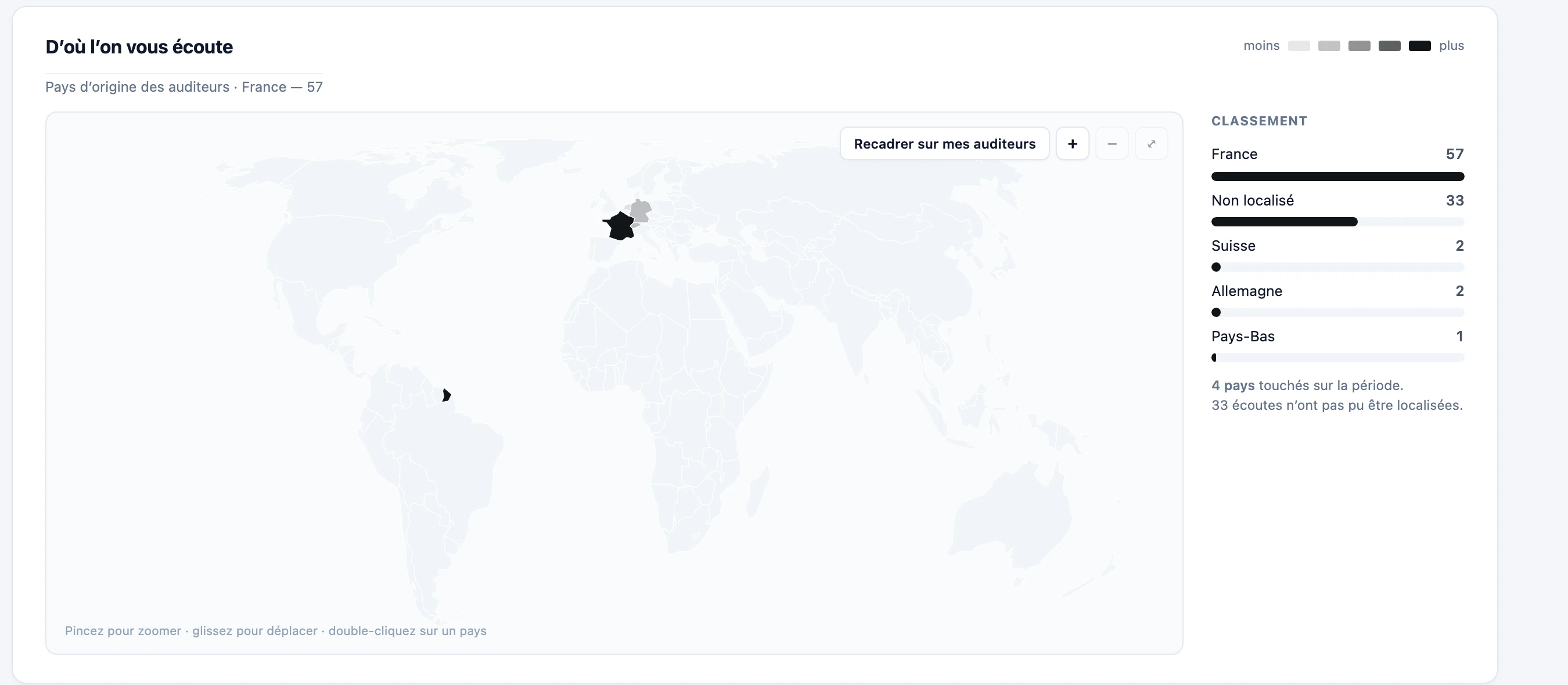
Listens appear for free in your WordPress dashboard. The breakdown by country and app is on the Pro plan (€39/month).
See the numbersYour own ads
Your ads play at the start and end of the episode. On the Studio plan (€99/month).
AdvertisingClips for social media
Clips turns a passage from the episode into a captioned video. You schedule it for LinkedIn, Instagram or Facebook.
Word-by-word captions
Words light up as they are spoken. You correct the text before the video is made.
SubtitlesOne format per network
The video comes out at the right size for where it’s going.
FormatsPosted on time
Schedule it for Tuesday at 8 a.m. and Zekast posts it for you.
PromoThe words to go with it
Written from what’s actually said in the episode, and fitted to Instagram as well as LinkedIn.
The textsReview and transcription
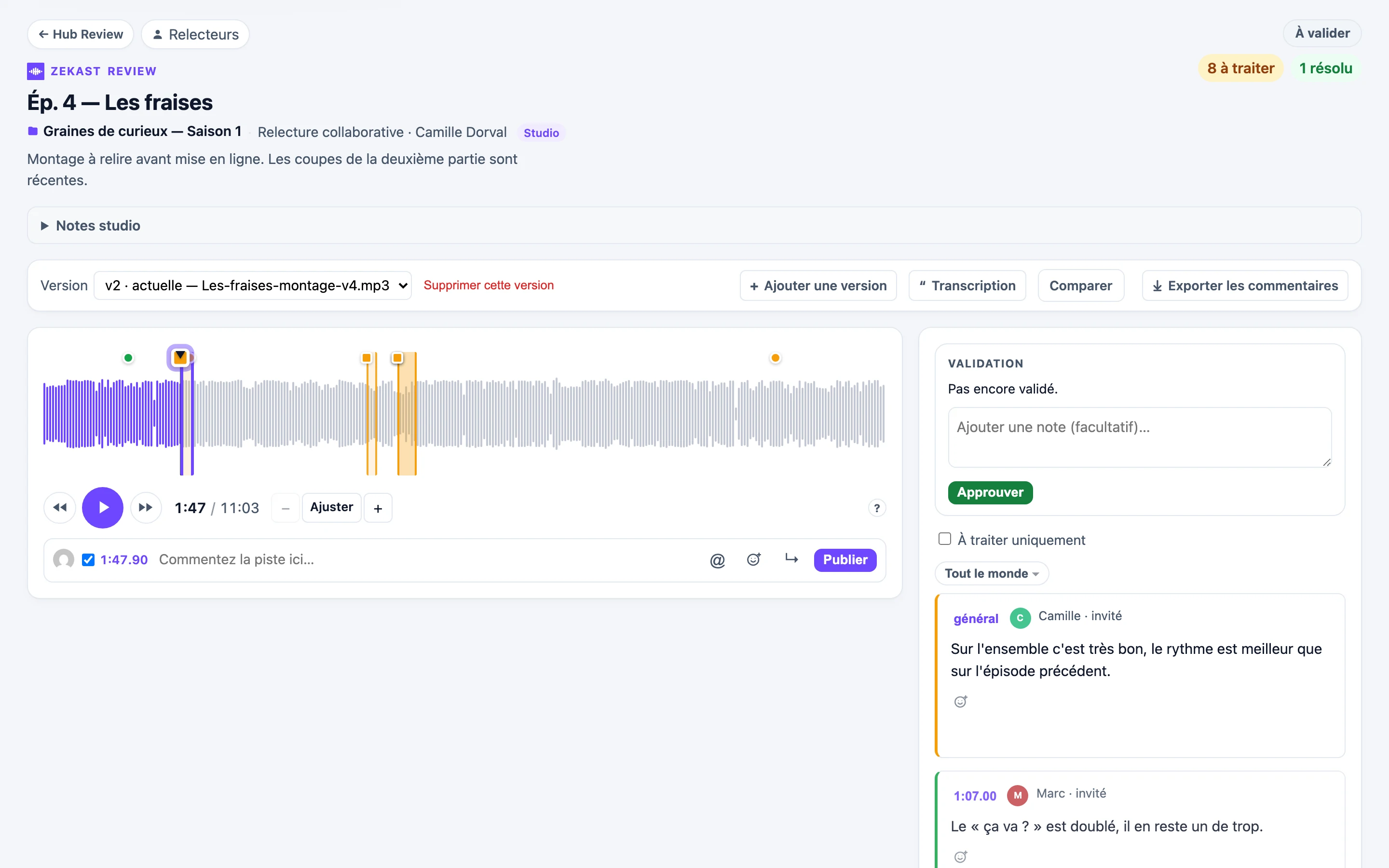
Your reviewers listen to the edit and comment to the second, from a link. The episode is transcribed in WordPress too.
Online review
Your reviewers get a link and comment on the edit to the second.
ReviewTranscription
In an hour-long interview with three people, each one gets their own lines back. Processing happens in France.
TranscriptionCompilations
The season’s best-of or your episodes on a theme, published as a podcast of its own.
MixesOne page per episode
Zekast creates it on your site, with the player and the episode notes. Google indexes it like your other pages.
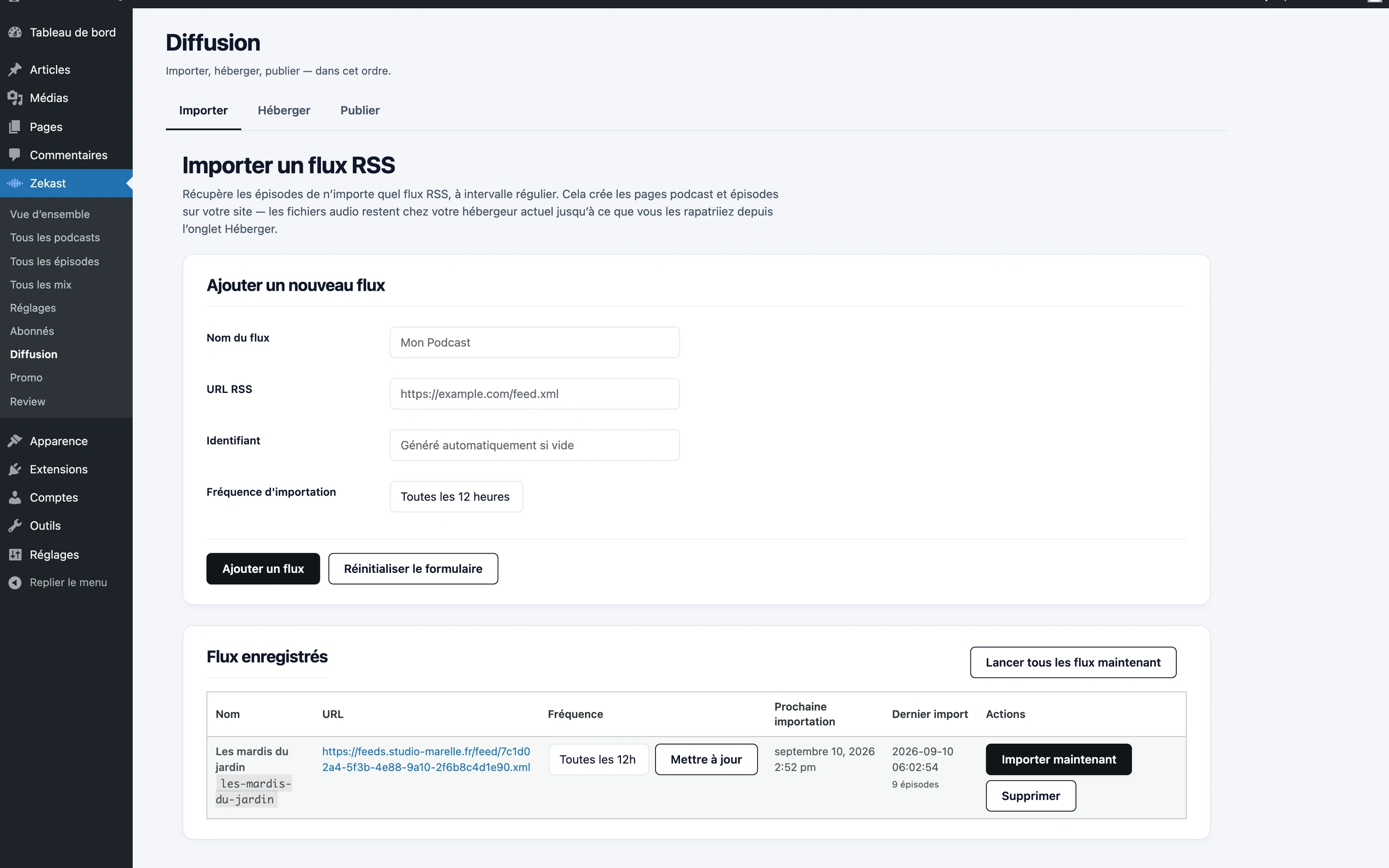
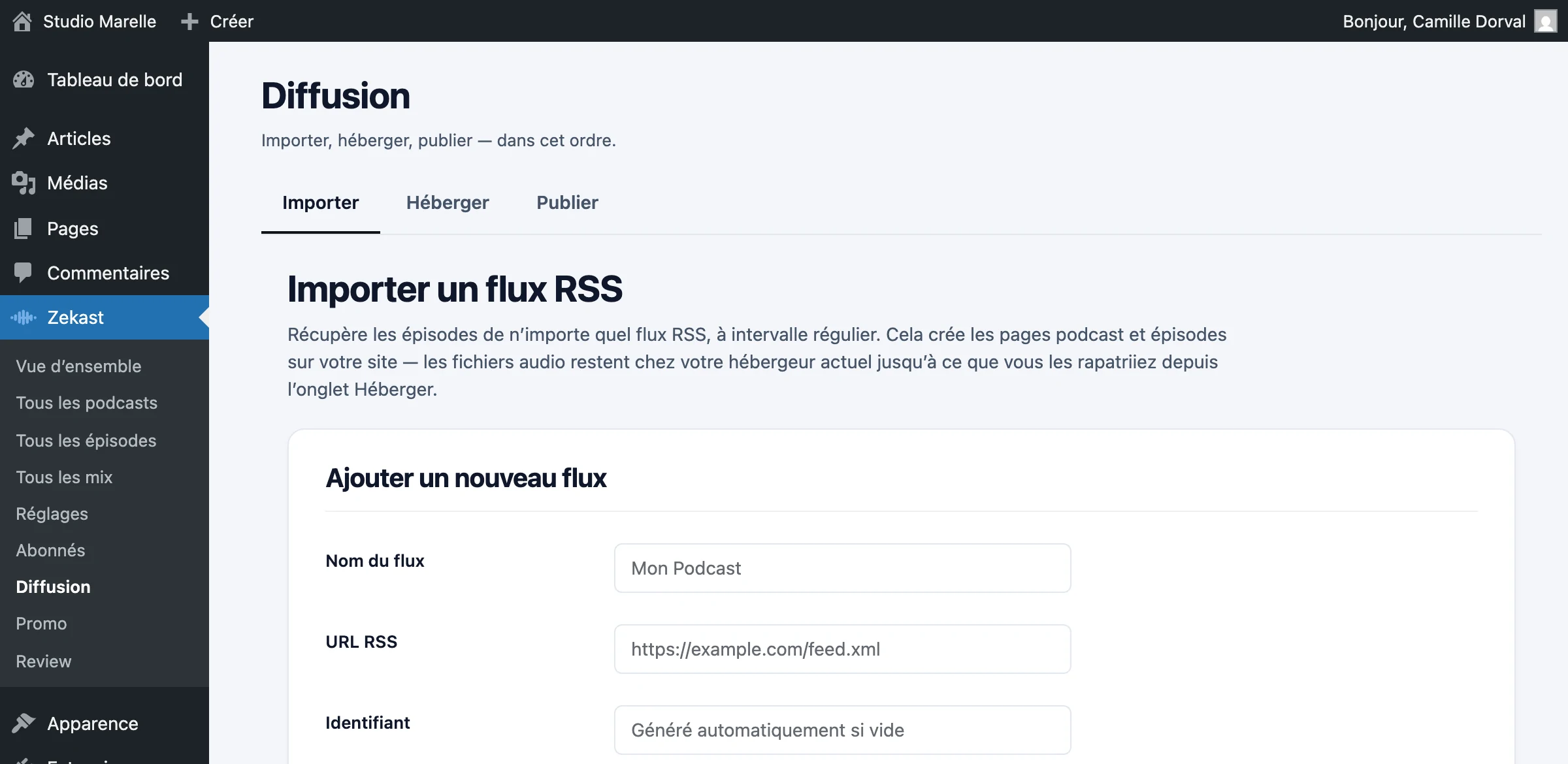
Starting from an existing feed?
Paste its address. Episodes arrive with their artwork and descriptions, and the audio can stay with your current host.
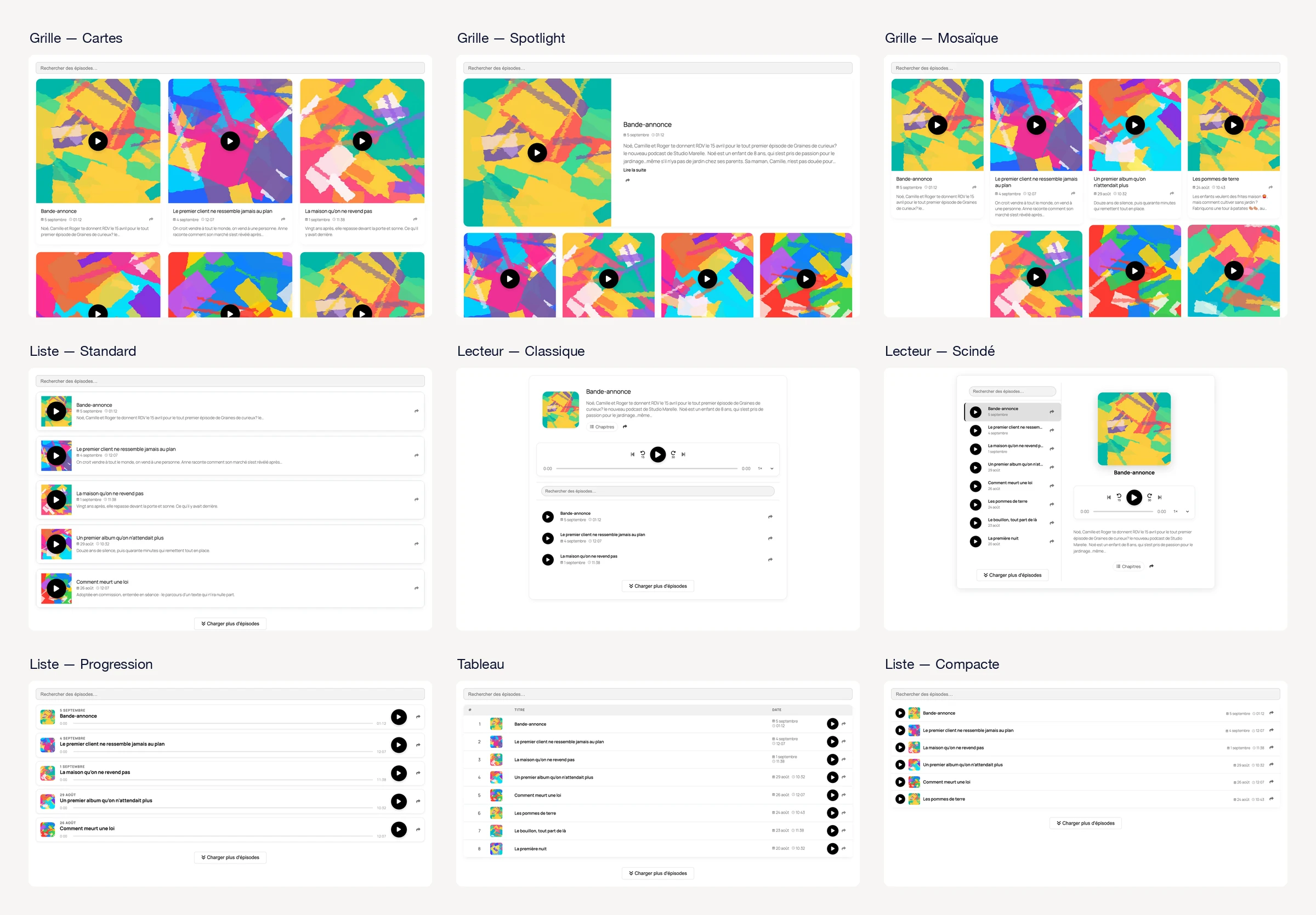
Importing a podcastNine layouts
Pick one and adjust it in the editor. The player stays at the bottom of the screen.
See the layoutsYour tools stay connected
Your contact form or newsletter works on episode pages too, with nothing to set up.
See the integrationsYour site becomes an app
Your listeners add it to their phone’s home screen and listen offline. On the Pro plan (€39/month).
See the app
For studios
The Studio plan (€99/month) covers five sites and unlimited podcasts. It includes Review, where your clients listen to the edit and approve it from a link.
Zekast for studiosThe plans
The free plan includes hosting, the feed and distribution for one show.
Free
To launch a podcast
- 1 show, hosting included
- Player and feed on your site
- Apple Podcasts, Spotify, Amazon Music and Deezer
- 10 free minutes of transcription
Starter
To sell subscriptions
- 1 show, 9 layouts
- Automatic import of new episodes
- Paid subscriptions, 0% commission
- 100 minutes of transcription per month
Pro
For several shows
- 3 shows, each with its own feed
- 40 video clips per month
- Your own app for your listeners
- 500 minutes of transcription per month
Studio
For production studios
- Unlimited shows, up to 5 sites
- Review: your clients approve from a link
- 200 video clips per month
- 1,500 minutes of transcription per month
Questions people ask us
Can I bring my podcast over?
Yes. Paste your feed address: the catalog is imported, then the audio files. Your listeners see no difference.
Do you take a commission?
No. Your subscribers pay into your Stripe account and you keep it all. Only Stripe takes its usual fees.
Can I keep my host?
Yes. Import creates your podcast’s pages without touching the files: the audio stays with your host. You can bring the files over later if you want.
What if I stop?
Your feed keeps working from your site. If your files are hosted with us, download them before your subscription ends. On your own Bunny or S3, nothing changes.
Do I need to know how to code?
No. Zekast installs like any other WordPress plugin, and a setup assistant walks you through each step.
Will Apple Podcasts and Spotify accept my feed?
Yes. The feed meets their requirements, and Zekast flags anything missing, such as a category or cover art, before you submit it.

Install Zekast and paste your feed address.