A customizable player and episodes
The player opens at the bottom of the screen and stays there as you scroll. The catalog displays the way you want, and everything is set in the editor.
Persistent audio player
An episode’s play button brings up the player and starts playback, wherever that button sits on the page: in a list, in a grid, in a block placed in the middle of a post.
It stays there as you scroll, and listening continues when the listener switches tabs or apps. Speed from 0.5× to 2×, clickable chapters, standard keyboard shortcuts. There’s only one player per page: clicking another episode changes what’s playing, without reloading.
On a phone, the same player sits at the bottom of the screen. Episode info, chapters, sharing: slide it open, and playback continues behind it.
Nine layouts
Four are in the free plan, five more come with Starter. All of them are adjusted in the editor.


Cards
Free planA catalog you browse by eye: cover art, title, date, duration. Pick it when your visuals are worth a look.


Standard
Free planTitle, date, summary. The format you read rather than look at, for podcasts whose descriptions do the work.


Progress
Free planA bar shows how far the listener has gotten in each episode. For a series people listen to in order and come back to.


Classic player
Free planThe player first, the catalog around it. A page made for listening: you arrive, you hit play, you stay.


Spotlight
Starter and upThe latest episode large, the others below. For a show people follow: they see what just came out first.


Mosaic
Starter and upLots of episodes, little text. Thumbnails stack in columns and fill the gaps: the more you place side by side, the more the heights stagger into a wall you scan.


Compact
Starter and upA hundred episodes fit on screen. The archive you skim quickly, when the catalog is long.


Table
Starter and upNumbered rows, with dates and durations lined up in columns. The back catalog you dig through: compare at a glance and click the right row.


Split player
Starter and upThe player on one side, the list on the other. Play one episode after another without leaving the page or losing what’s playing.
In place from the start
Your podcast and episode pages are generated automatically on import: cover art, title, description, buttons. 100% customizable.
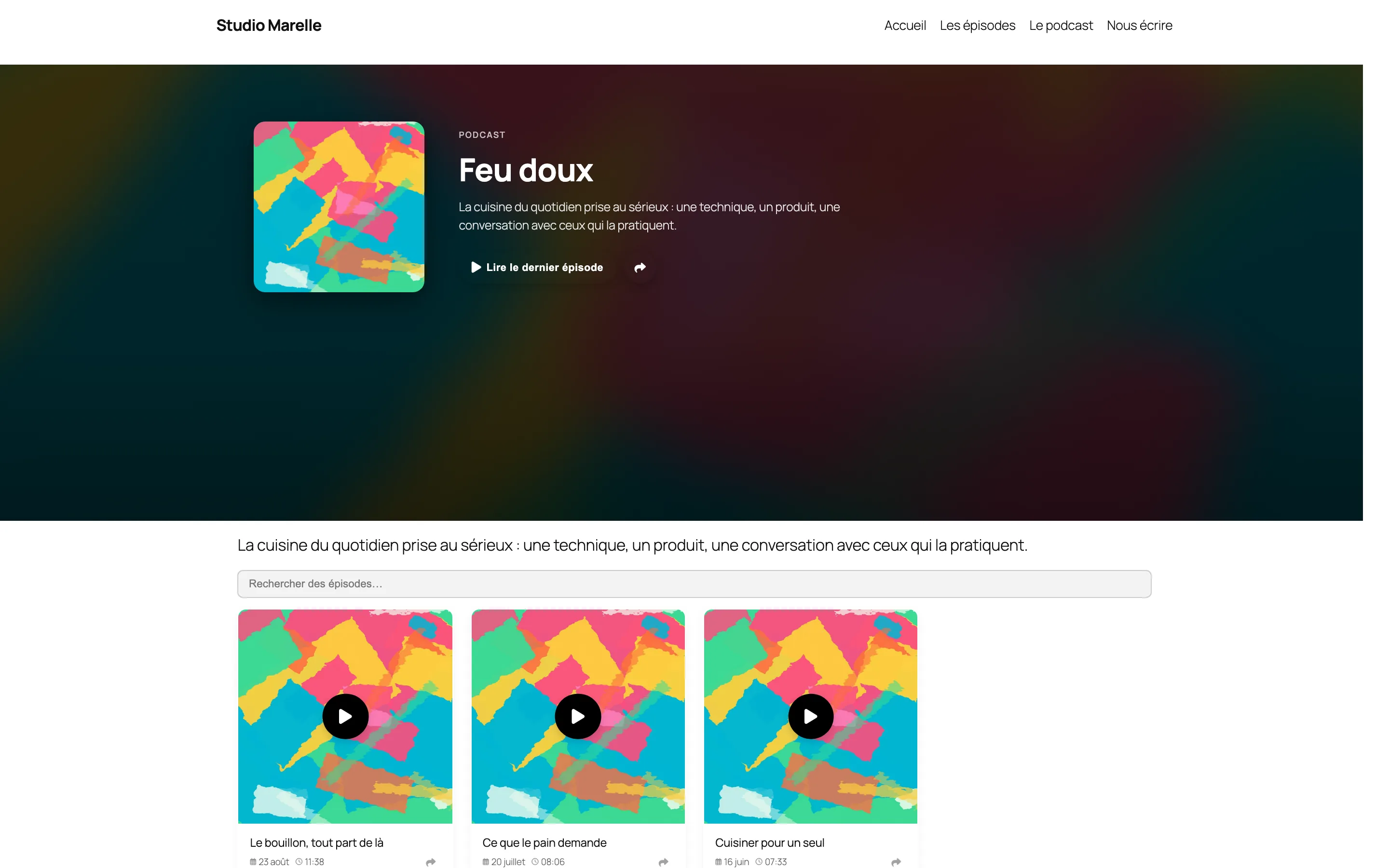
Nothing to build
Whether you import or create, everything is in place: player active, catalog displayed, intro block filled in with your cover art. Then you customize.
Even when written by hand
An episode written by hand gets the same treatment: Zekast reads the audio file address and the image in the post content, and fills in the episode’s details with them.
Two blocks included
Your podcast and episode pages are generated automatically on import: cover art, title, description, buttons. 100% customizable.
- Elementor
- Divi
- Bricks
- Oxygen
- Breakdance
- Classic themes
- Site Editor
- Customizer
Every theme
Classic or block themes, page builders: the catalog, the player and the subscription pages fit in anywhere, with the templates provided.
Adjusted live
Each layout shows its settings in the right-hand panel. Changes appear live.
Your fonts, your colors
The catalog and the player use your theme’s fonts and pick up the colors it declares, including the ones you added in the Site Editor.
Three levels
The WordPress Customizer sets the base and shows you a preview, the plugin settings refine it, and a single block can still override it for itself.

Four layouts free, all nine from €12/month
See all plans