Import your catalog
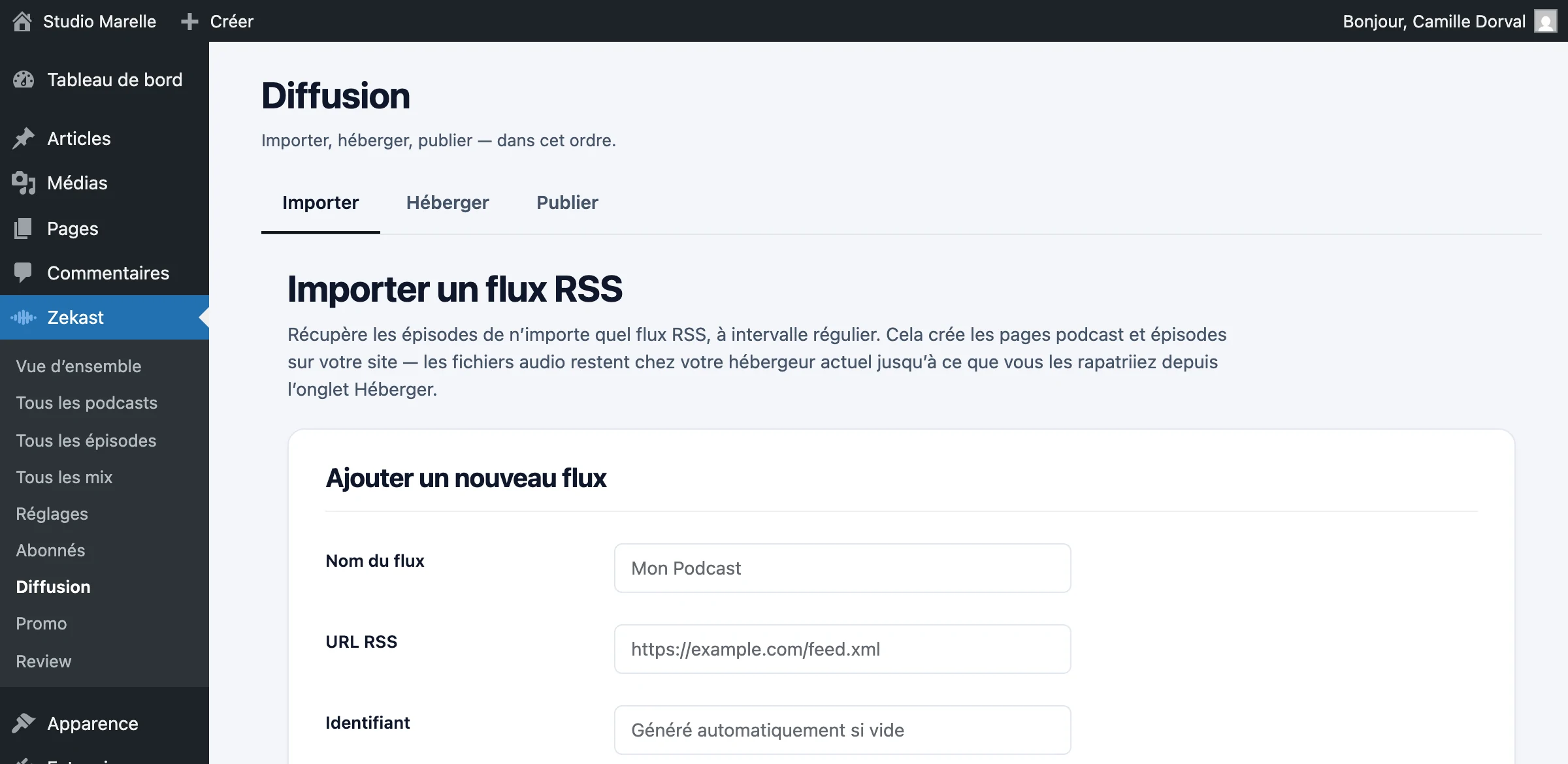
Paste your feed URL: the podcast and each of its episodes are created on your site, cover art included. Your current host keeps serving the audio.
Paste the feed URL
Zekast checks the URL, then imports. The podcast, its episodes and their cover art are created on your site in one go.
A minute and a half
That’s how long five hundred episodes take. The feed URL is all it needs: everything else is worked out from what it contains.
Cover art included
The podcast’s image and the episodes' images come along, placed in your media library as if you had uploaded them yourself.
Your feed already exists
Zekast builds this podcast’s feed as soon as you import. It only replaces yours the day your files have come over: until then, don’t submit it to the platforms, or your podcast would be listed twice.
Your host keeps serving
The import copies the addresses of your audio files. They stay where they are, and your current host keeps serving them.
Your listeners won’t notice a thing
They listen to the same show, served from the same address. What changes is on your side: your catalog is displayed at home, on your own site.
Moving out, later
Bringing your files over to Zekast is a separate step, which you trigger the day you decide to. That’s the step that lets you cancel your hosting.
The order matters
Import, bring the files over, then change the feed URL at Apple and Spotify. In that order, the move stays invisible and your podcast is never listed twice.
Edit and resync
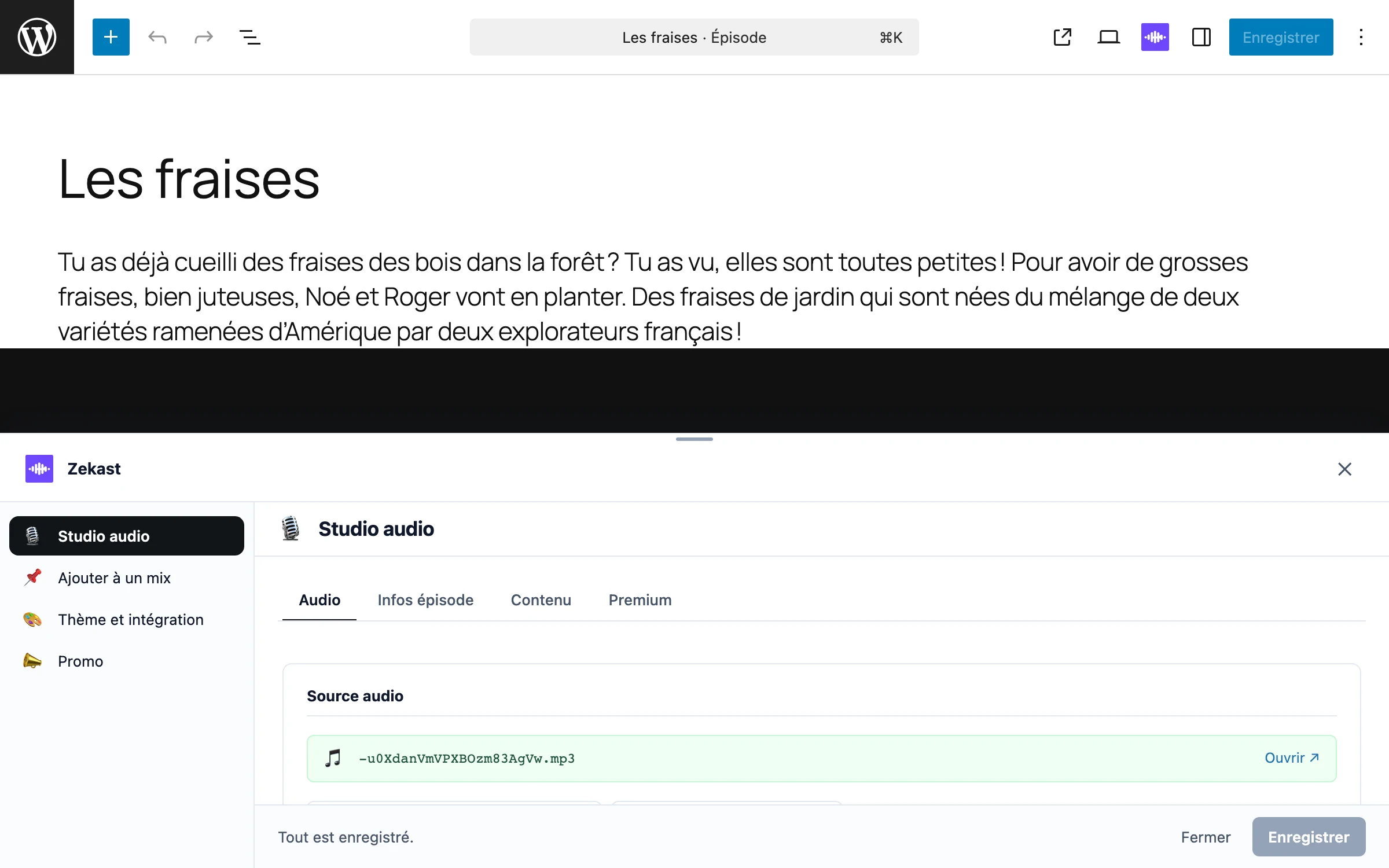
Each imported episode opens and edits like any page on your site: title, description, layout.
The feed’s information
Language, owner, category and explicit content come with the episode, and can be edited in the same place.
Your edits stick
A resync brings in what’s new in the feed and leaves everything you’ve written untouched.
On the schedule you set
On Starter and up, each feed resyncs every 6, 12 or 24 hours; the free plan imports on demand. Pro handles up to three podcasts, Studio as many as you want.

Import is free, automatic sync starts at €12/month
See all plans